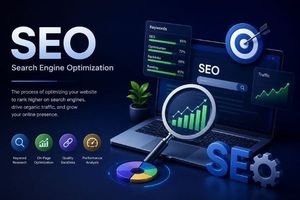
Remember that feeling when you first launched your website? You spent hours polishing the layout, carefully picked the color palette, hit "Publish," and then... silence. Just the sound of digital crickets. If you are struggling to get traffic to your brand-new site, you are not alone. Building a beautiful website is only half the battle. To actually get seen by real human eyes, you need to understand Search Engine Optimization. In this comprehensive guide, we will break down the ultimate SEO tips for beginners to help you climb the search engine rankings, drive continuous organic traffic, and turn those digital crickets into a thriving online community.
What is SEO?
Let's demystify the jargon. Search Engine Optimization (SEO) is the simple art and science of preparing your website so that search engines like Google can understand, index, and recommend your content to users. Imagine walking into a massive library containing billions of books, but there is no catalog system. How would you find a specific recipe or a history book? Search engines are the librarians of the internet. By optimizing your website, you are essentially adding clear index tabs to your pages, making it incredibly easy for the librarian to pull your book off the shelf when someone asks a relevant question.
Why SEO is Important in 2026
You might be wondering: "With social media, email newsletters, and AI chatbots everywhere, does SEO still matter in 2026?" The answer is a resounding yes—now more than ever. Today, search engines have evolved. AI-powered search features, like Google's AI Overviews, directly summarize answers for users. However, these AI answers don't appear out of thin air. They pull their information directly from high-quality, authoritative websites. If your website is structured properly, you won't just rank in standard lists; you'll be cited as a primary source in AI summaries, driving highly qualified, high-intent traffic directly to your pages. Organic traffic is still the highest-converting source of traffic on the web because it captures users at the exact moment they are actively searching for a solution.
How Search Engines Work
To win the search game, you need to understand the rules. Search engines process the web in three fundamental steps:
- Crawling: Search engines send out automated software programs, often called "crawlers" or "spiders," to discover new and updated content on the web. Spiders jump from link to link, cataloging everything they find.
- Indexing: Once a page is crawled, it is analyzed and filed in a colossal digital database known as the Index. If your page has low-quality text, duplicate content, or structural errors, it might get skipped and never make it into the index.
- Ranking: When a user types a query into Google, the search engine searches its index and uses highly complex algorithms to rank the best results by relevance, expertise, trustworthiness, and page speed.
Top SEO Tips for Beginners
1. Align Your Content with Search Intent
If you only take one lesson from this guide, make it this: you must understand search intent. Search intent is the primary goal or "why" behind a user's search query. For example, if someone searches for "how to bake bread," they want an educational recipe (informational intent). If they search "best bread maker reviews," they are comparing products before buying (commercial intent). If you write a sales page targeting "how to bake bread," you will never rank. Google's algorithm is smart enough to see that users want an instructional guide, not a product pitch. Before writing a single word, search your target phrase on Google and see what is already ranking. Match that format, and you'll immediately stand out.
2. Perform Smart Keyword Research
You can't optimize your site if you don't know what terms your audience is actually searching for. That's where keyword research comes in. As a beginner, avoid targeting highly competitive, single-word phrases like "shoes" or "marketing." Instead, target "long-tail keywords"—phrases that are three to five words long and highly specific, such as "comfortable running shoes for flat feet" or "local SEO tips for beginners." These long-tail phrases have lower monthly search volume, but they are infinitely easier to rank for and attract highly motivated visitors who know exactly what they are looking for.
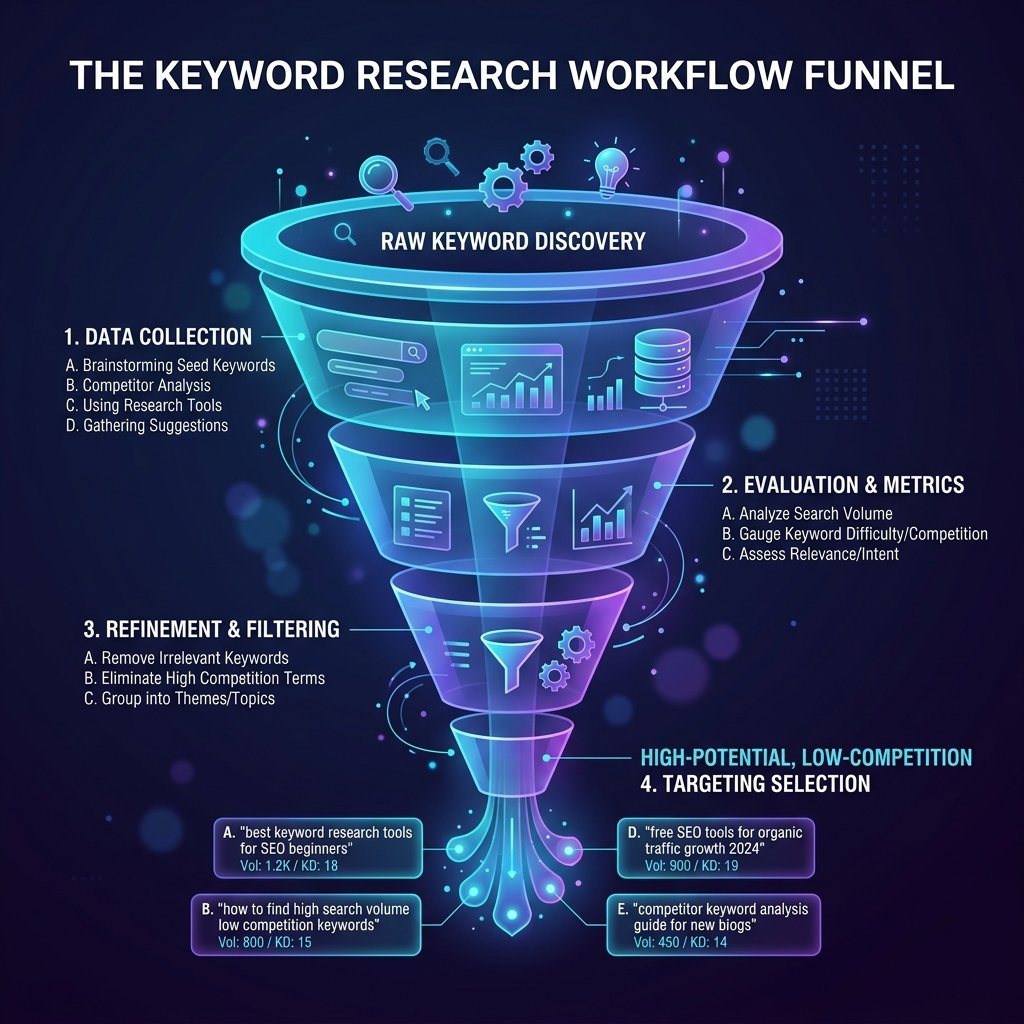
Visualizing the funnel of selecting high-volume, low-competition long-tail keywords.
3. Craft Compelling Title Tags and Meta Descriptions
Your title tag and meta description are your digital storefront. Even if you achieve high search engine rankings, you won't get any clicks if your titles are boring or truncated. The title tag is the clickable blue link in search results, and it should always include your focus keyword near the beginning, kept under 60 characters. The meta description is the short summary below the title. Write a compelling description under 155 characters that summarizes the page's benefit and ends with a call-to-action (CTA). Think of these meta tags as an advertisement for your page—make them clickable, clear, and engaging!
4. Structure Your Site Using Headings (H2, H3, H4)
Imagine reading a textbook that had no chapters, paragraphs, or section titles—just a giant wall of text. You'd probably close the book immediately. Search spiders and human readers feel the same way about websites. Organize your articles logically using standard heading tags. Your page should have exactly one H1 tag (your main title). Use H2 tags for main sections (like "Top SEO Tips for Beginners") and H3 tags for sub-points under those sections. This clean hierarchy creates high readability and helps search engines quickly scan your page and map its topical relevance.
5. Write High-Quality Content for Humans
There is a famous saying in digital marketing: "Write for humans, optimize for search engines." In the past, people would try to trick algorithms by repeating keywords dozens of times in a practice called keyword stuffing. In 2026, this is a surefire way to get your website penalized and removed from indexes. Instead, write like a real human talking to a friend. Tell relatable stories, share authentic personal insights, and solve actual problems. According to Google's Search Quality Rater Guidelines, demonstrating first-hand experience and expertise (part of their E-E-A-T framework) is the single most effective way to build long-term search trust.
6. Build an Intuitive Internal Linking Network
An internal link is simply a hyperlink that connects one page on your website to another. Think of internal linking as building a road network inside your digital city. It helps search crawlers easily discover new pages on your site and passes ranking power from your most popular pages to your newer articles. When writing a new post, always look for opportunities to link back to your older, relevant guides. Use natural, descriptive anchor text (the clickable words in the link) instead of generic phrases like "click here" or "read more." For instance, linking to a specialized tool like our meta tag generator helps search engines understand exactly what that page offers.
7. Optimize Image Alt Text and File Sizes
Images make your blog posts beautiful and engaging, but they can also slow down your website if they aren't optimized. Search engine crawlers can't "see" an image the way humans do. To help them understand what an image contains, you must write descriptive image alt text. Alt text is also crucial for accessibility, allowing screen readers to describe images to visually impaired visitors. Keep your alt text descriptive, accurate, and naturally include a keyword if relevant. Additionally, always compress your images to WebP or compressed JPEG formats before uploading them to keep your load times lightning fast.
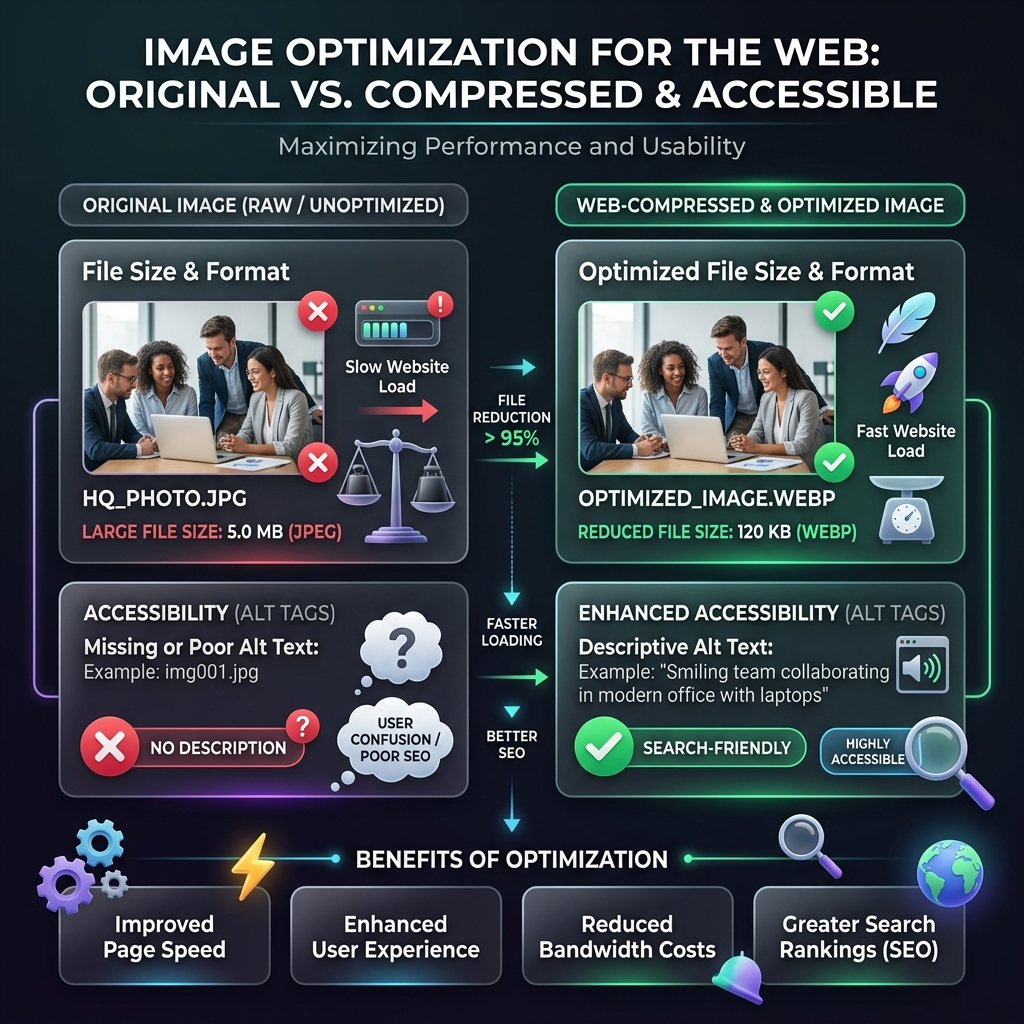
Comparing original file sizes vs. web-compressed images with optimized alt tags.
8. Set Up Google Search Console
You can't improve what you don't measure. Google search console is a free tool provided by Google that shows you exactly how your site is performing in search results. It reveals what keywords people are typing to find your site, which pages are indexed, and alerts you to any indexing or mobile usability errors. Setting up Search Console and submitting your XML sitemap is a non-negotiable step for any beginner looking to grow their site's visibility.
9. Design a Responsive, Mobile-First Layout
More than 60% of all search queries worldwide originate from mobile phones. Google operates on a mobile-first indexing policy, meaning it uses the mobile version of your website to crawl, index, and rank your content. If your website looks stunning on a desktop but is broken, slow, or hard to navigate on a smartphone, your rankings will tank. Always test your site's layout on various phone sizes, keep button sizes touch-friendly, and make sure your text fits neatly on screen without requiring horizontal scrolling.
10. Focus on User Experience (UX) and Page Speed
Google wants to keep its users happy. If a visitor clicks on your website in search results and the page takes five seconds to load, they will immediately click the back button (this is called "bouncing"). A high bounce rate signals to Google that your page isn't providing a good user experience, which can drop your rankings. Keep your design clean, eliminate intrusive popups, and leverage fast, local, client-side tools to ensure your site loads instantaneously.
Common SEO Mistakes to Avoid
When starting out, it is easy to fall into bad habits that can halt your progress. Here are the most common pitfalls to steer clear of:
- Buying Backlinks: Buying links from low-quality sites to cheat rankings violates Google's spam policies and will get your site penalized. Focus on earning links naturally by writing epic, shareable content.
- Ignoring Search Intent: Writing content based solely on search volume without matching what users actually want to see.
- Duplicate Content: Copying paragraphs or whole articles from other sites. Google values unique, fresh perspectives. Always write original content.
- Slow Loading Speeds: Overloading your site with uncompressed images, heavy scripts, and bloated plugins. Keep things fast and lightweight.
On-Page SEO Checklist
To make optimizing your posts as simple as possible, print out this quick checklist and run through it before hitting publish on every article:
- Keywords: Main keyword is included in the title, the first 100 words, at least one H2 heading, and naturally 3-4 times in the body.
- Meta Tags: Catchy title tag (under 60 characters) and high-converting meta description (under 155 characters) are written.
- Internal Linking: The post includes at least 2 links to other pages on your site, and older pages have been updated to link to this new post.
- Image Alt Text: Every image features a descriptive alt tag describing the visual content for search crawlers and accessibility.
- Page Speed: All images have been compressed, and the page loads smoothly on both desktop and mobile viewports.
Best Tools for SEO
Having the right tools in your digital toolbox makes optimization a breeze. Here are the top industry-standard platforms recommended for bloggers and website owners:
- Google Keyword Planner: The best free starting point for keyword research, directly extracting search query volume data from Google's ad network.
- Ahrefs & SEMrush: Premium, all-in-one suites for backlink analysis, competitive analysis, rank tracking, and site audits. Highly recommended as your site grows.
- Ubersuggest: An excellent, beginner-friendly tool for generating keyword ideas, checking competitor traffic, and running simple site audits.
- ToolzFree SEO Suite: Our completely free, local, client-side SEO utilities! Use our Keyword Density Checker to prevent keyword stuffing, write clickable tags using our Meta Tag Generator, and generate structural code instantly using our Schema Markup Generator. Because our tools run 100% locally in your browser, your data is never stored or shared.
Conclusion
Embarking on your SEO journey can feel overwhelming, but remember: SEO is a marathon, not a sprint. The changes you make today might take a few weeks to bear fruit, but once you start ranking, the organic traffic you drive is completely free, passive, and highly targeted.
Start applying these SEO tips for beginners to your site today! Choose one focus keyword, write an exceptional article that solves your reader's problem, optimize your meta tags, and watch your traffic steadily grow. You've got this—now go out there and build something epic!